
D
Deep Swap AI
DeepSwapAI
AI-powered face swap and creative media editing platform for videos, photos, and GIFs in seconds.
Free plan One-time
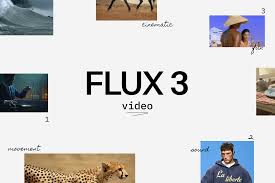
FLUX3 Video is a browser-based AI video-generation platform that helps users turn written prompts and still images into short videos. Available at flux3.video, it is designed for social media creators, marketers, e-commerce businesses, agencies, freelancers, educators, and other users who want to produce video content without traditional filming equipment or complicated editing software.
The platform provides a straightforward workflow: users describe a scene in text or upload an image, select a generation model, create a video, and save the result to their library. Its main capabilities include text-to-video and image-to-video generation. Text-to-video is useful when starting with an idea or written scene description, while image-to-video allows users to animate an existing photograph, product image, character design, or other still visual.
One of the platform’s main attractions is its focus on short-form video. It is suited to creating social media clips, product demonstrations, promotional visuals, story concepts, and early creative drafts. Users can experiment with different visual styles and models from the same workspace rather than switching between separate services. The website also presents additional tools, including FLUX 3 Draft Mode, Video Edit, Video Upscaler, AI Effects, and image-generation features.
FLUX3 Video is presented as an independent online generator workspace, not the official website of Black Forest Labs. The website explicitly states that it is not affiliated with or endorsed by Black Forest Labs, the company associated with the FLUX model family. This distinction is important: users access the generation service through flux3.video, while official FLUX model access and licensing are separate matters.
The platform’s workflow is designed to be accessible to people without coding or professional video-production experience. Users can start with a simple prompt describing the subject, action, setting, and desired visual style. Alternatively, they can upload a still image and describe how it should move. Generated clips can be saved and revisited through the site’s library, making it easier to compare drafts and refine prompts.
For marketing teams, FLUX3 Video can support the production of promotional concepts, social advertisements, product visuals, and creative variations for testing. E-commerce businesses can animate product photographs to create more engaging catalog content. Agencies and freelancers can use it to present moving concepts to clients before committing to a more involved production process. Educators and course creators can also explore short explanatory clips to make lessons and presentations more visually engaging.
The site offers several models and creative options within a shared credit system. The available model selection includes FLUX 3 and other image and video-generation models. This provides flexibility for users who want to compare outputs or choose different generation approaches for particular projects. The site also indicates that failed generation tasks caused by an error on its side receive automatic credit refunds.
Overall, FLUX3 Video is best understood as an accessible AI video-creation workspace for short clips and rapid visual experimentation. Its browser-based interface, free starter credits, text and image inputs, and collection of related creative tools make it useful for creators who want to develop video concepts quickly. Users should nevertheless check the plan limits, credit costs, model availability, and licensing terms before relying on it for regular commercial production.
FLUX3 Video uses a freemium, credit-based pricing model. Users can create an account and receive starter credits without providing a payment card. Paid plans provide larger monthly credit allowances, access to additional models, faster generation, and commercial-use licensing under the platform’s terms.
The pricing page lists the following plans:
– Free – $0: Includes 15 starter credits after login, with the possibility of earning up to 30 additional credits through weekly check-ins. The free plan provides access to selected starter models, allows up to three images, and places generations in the standard free queue. It is primarily intended for testing the service and personal evaluation rather than commercial production.
– Basic – $19.90/month: The annual-billing promotional equivalent is $14.90 per month, billed at $178.80 per year. It includes 1,500 credits per month, access to the site’s available models, unlimited storage, commercial-use licensing under the terms, standard support, and priority generation that skips the free queue. The site estimates that the credit allowance can generate up to 93 videos with certain models, although actual output depends on the model and settings.
– Standard – $39.90/month: The annual-billing promotional equivalent is $29.90 per month, billed at $358.80 per year. It includes 4,000 credits per month, access to available models, unlimited storage, commercial-use licensing, priority support, faster generation, and priority queue access. The pricing page advertises estimates of up to 250 videos with selected models.
– Pro – $99.90/month: The annual-billing promotional equivalent is $69.90 per month, billed at $838.80 per year. It includes 10,000 credits per month, unlimited storage, commercial-use licensing, priority support, faster generation, and priority generation. The site estimates up to 625 videos with selected models, depending on credit consumption and generation settings.
The platform also offers one-time credit purchases. These are useful for subscribers who need additional generation capacity beyond their regular monthly allowance. The pricing information states that purchased one-time credits do not expire, whereas subscription credits reset at the beginning of each billing cycle and do not roll over.
The number of videos users can generate is not fixed across every model. Different models and settings consume different amounts of credits, and video duration and resolution can affect the final cost. The site displays the estimated credit cost before generation, helping users understand the expected usage before submitting a task.
Commercial use is included with paid plans under the platform’s terms. Free starter credits are intended for personal evaluation. Users planning to publish advertisements, client work, or monetised content should review the licensing terms applicable to their plan and generated material.
Overall, the free plan is useful for trying the service, Basic is suitable for occasional creative work, Standard offers a larger allowance for regular production, and Pro is intended for users who generate videos more frequently. Annual billing reduces the advertised monthly equivalent, but users should check the checkout page for the current promotion and total payment before subscribing.
FLUX3 Video offers a convenient way to experiment with AI-generated video without installing desktop software or learning a complicated editing workflow. Its main strength is the combination of text-to-video and image-to-video generation in one browser-based environment. This gives users two practical starting points: they can create a scene from a written description or animate an existing visual. For creators who regularly produce social media content, product demonstrations, advertisements, or visual concepts, that flexibility can save time during the early stages of production.
The text-to-video feature is useful for turning ideas into visual drafts. A user can describe a subject, setting, movement, and mood, then allow the AI to interpret the prompt as a short clip. This can help marketers explore campaign directions, educators develop visual examples, and storytellers test scenes before investing in more detailed production. Image-to-video generation is equally useful when a user already has a product photograph, illustration, or character image and wants to introduce movement without rebuilding the entire scene.
Another advantage is the collection of tools available within the same workspace. The website lists video editing, draft generation, upscaling, AI effects, and image-generation capabilities. These options make the service more versatile than a basic text-to-video page. The ability to switch between available models is also helpful because different models may produce different visual styles, motion characteristics, and levels of detail. Users can experiment with alternatives without necessarily creating separate accounts on multiple platforms.
The browser-based approach is particularly convenient. Users can start generating content without installing a dedicated application, and the platform offers free starter credits without requiring a payment card. This lowers the barrier to experimentation and allows potential subscribers to evaluate the interface before purchasing a plan. The library also helps users revisit previous generations, compare results, and make adjustments to prompts.
Pricing is relatively easy to understand at the plan level. The free tier provides a limited introduction, while Basic, Standard, and Pro increase the monthly credit allowance and provide additional support and generation priority. Commercial-use licensing is included with paid plans under the stated terms, which is important for freelancers, businesses, and agencies that intend to use generated material in client or promotional work. The availability of one-time credit packs also gives subscribers another way to increase usage without immediately changing their subscription.
However, the credit-based pricing structure requires some attention. The number of videos advertised for each plan is an estimate, not a guaranteed number of completed projects. Different models, durations, resolutions, and generation settings can consume different amounts of credits. Users producing longer or more detailed videos may use their allowance faster than expected. Subscription credits also reset each billing cycle rather than carrying forward, so creators should plan their production schedule around the monthly allocation.
The free plan is also limited. Its starter credits and restricted model access are sufficient for initial testing but may not support regular production. Users who need commercial licensing, higher generation volume, or priority processing will likely need a paid plan. The distinction between the independent FLUX3 Video website and the official Black Forest Labs model provider is another important consideration. Users should not assume that using this third-party website is equivalent to obtaining direct access to the official model provider or its developer services.
Video quality is an additional consideration. As with other AI video-generation services, the results can vary depending on prompt quality, input image, model, and settings. AI-generated clips may contain visual inconsistencies, unnatural movement, changes in object appearance, or details that do not fully match the original prompt. Image-to-video generation can also alter elements of the source image while introducing motion. Users producing professional advertising or client deliverables should inspect the output carefully and may need additional editing.
The platform’s public review evidence is limited. SoftwareAdvice lists FLUX3 Video but reports that it has no customer reviews yet, so there is not enough independent feedback on that platform to establish a reliable customer satisfaction score. The website includes positive user testimonials, but these are presented on the product’s own site and should not be treated as equivalent to independently verified reviews. Potential users should therefore evaluate the service through its free credits rather than relying on a strong public review consensus.
Another limitation is the lack of clearly established public documentation for developers and third-party integrations. The service is primarily presented as a browser-based creative tool. Users who need API automation, integration with professional editing pipelines, or large-scale programmatic video production should confirm whether those capabilities are available before selecting it as a core production platform.
Overall, FLUX3 Video is a promising option for creators who want to generate short videos from prompts and images, experiment with different AI models, and develop visual content quickly. Its free starter credits, accessible interface, and related creative tools are meaningful advantages. Its main drawbacks are variable generation quality, credit consumption, limited free usage, and the lack of substantial independent customer-review evidence. It is best suited to rapid content creation, concept development, and experimentation rather than serving as a complete replacement for professional video-editing software or a fully documented enterprise video-production system.
AI-powered face swap and creative media editing platform for videos, photos, and GIFs in seconds.
AI chat tool for PDFs — chat with, summarize, translate and ask questions about PDF documents.
Find the right AI software for the job