
S
Seedance Flash
Seedance Flash
Seedance 2.5 Flash AI video generator
Free plan Freemium
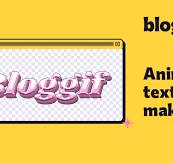
Text to GIF is a free online animated-text creation tool offered by Bloggif. It allows users to turn ordinary words, names, phrases, and short messages into animated GIFs without needing professional design or animation skills. The tool is intended for people who want to make their text more visually engaging for websites, social media, online communities, messaging platforms, and personal projects.
Its main purpose is to make animated lettering easy to create. Users enter their desired text, choose an animation style, customize its appearance, preview the result, and download the finished GIF. This simple process makes it accessible to beginners as well as people who regularly create digital content.
One of the tool’s main attractions is its selection of animated text effects. These include glitter, neon, rainbow, shiny, and moving-letter styles, allowing users to create different visual looks depending on the message and intended audience. Decorative styles can be useful for usernames, greetings, profile graphics, online signatures, promotional messages, and other short pieces of text that benefit from animation.
Text to GIF also provides customization options so users can adjust the appearance of their lettering. These options include font selection, text size, colors, outlines, shadows, alignment, and animation speed. This gives users some creative control while keeping the process straightforward. Rather than requiring users to build an animation frame by frame, the tool applies the selected effect to the text automatically.
Another useful capability is its background customization. Users can work with transparent or solid backgrounds and can also place text over an existing image or GIF. This makes it possible to create animated captions, decorative overlays, and personalized graphics. Transparent backgrounds are especially helpful when users want to place their animated text over different images or web backgrounds.
The live preview helps users check their design before downloading it. They can experiment with fonts, effects, colors, and animation settings until the result looks suitable. This reduces the need to repeatedly export files just to see how different settings appear.
Text to GIF is part of Bloggif’s broader collection of online image and GIF tools. Users can explore other utilities on the platform for tasks such as resizing, cropping, compressing, rotating, and editing GIFs. This wider collection can be useful when an animation needs additional adjustments before being shared or published.
The tool is suitable for casual creators, bloggers, students, social media users, community managers, and small businesses that need simple animated lettering. It is not a complete professional animation application or a generative AI platform. Instead, it focuses on making decorative text animations quickly, with minimal technical knowledge.
Text to GIF is free to use. Bloggif does not require users to purchase a subscription, pay for credits, or register an account before creating animated text. Users can access the tool, customize their lettering, preview the animation, and download the resulting GIF without a watermark. The website is supported by advertising, which allows it to provide its GIF tools without charging users for the basic service.
There are no publicly advertised Free, Pro, Business, or Enterprise subscription packages for this particular tool. The page also does not list paid upgrades, usage-based charges, or a one-time purchase price. Users should therefore consider Text to GIF a free online utility rather than a subscription-based design product.
Pricing details:
Free to use.
No subscription required.
No account registration required.
No watermark on downloaded GIFs.
No credit-based payment system advertised.
No paid plans publicly listed.
Advertising-supported service.
The free pricing model makes the tool useful for students, casual creators, bloggers, and small businesses that need occasional animated text without adding another software expense. It is also convenient for users who want to create a quick graphic without signing up for an account.
Although the core tool is free, it is designed for relatively straightforward text animation. Users who require advanced animation timelines, professional motion graphics, collaborative editing, or specialized commercial design workflows may need a more comprehensive application.
Text to GIF by Bloggif is a useful, accessible option for creating animated lettering without having to learn complicated design software. Its strongest quality is the way it simplifies the process: users can type a message, select an animated style, customize its appearance, preview the result, and download the GIF. The workflow is clear and suitable for people with little or no animation experience.
The variety of available styles is one of its most appealing features. Bloggif lists 45 animated text styles, with examples including gold, pink, holographic, liquid chrome, gold chrome, rose chrome, and pink neon. The broader selection includes glitter, shine, neon, rainbow, and moving-letter effects. This variety gives users room to create different visual moods, whether they want a colorful nostalgic design, a shiny decorative name, or a more modern neon-style message.
Customization is another strong point. Users can adjust the font, colors, outline, shadow, text size, alignment, and animation speed. These controls help make the output more personal than a basic preset text graphic. The preview also updates as users type, making it easier to see how the finished animation will look before downloading it. This is especially useful when experimenting with different fonts or effects for a short message.
The background options make the tool more versatile. Users can keep the background transparent, select a solid color, or place the animated lettering over their own photo or GIF. When text is placed over an existing GIF, it follows the animation loop. This makes the tool suitable for creating animated captions, personalized graphics, decorative profile images, and short promotional messages. Bloggif also explains the limitations of GIF transparency, which is useful because transparent GIF edges can look different depending on the background color.
Another advantage is its usefulness beyond ordinary social media graphics. Bloggif specifically explains how users can prepare a text GIF for use as a Discord emoji by sending it through the site’s compression tool. The page references Discord’s 256 KB emoji limit and 128 × 128 pixel reference size, making this a practical example of how the animated text can be adapted for a particular platform.
The free pricing model adds considerable value. Users do not need an account, subscription, or paid credits, and downloaded animations do not carry a watermark. The advertising-supported approach makes it possible to use the tool for occasional personal or creative projects without committing to a paid service. Bloggif’s wider collection of GIF utilities is also helpful because users can resize, compress, crop, adjust the speed of, or convert animations using other tools on the same website.
There are some limitations. Text to GIF is a specialized animated-lettering tool, not a full graphic-design or video-editing application. Its 45 styles and customization controls provide useful variety, but they do not replace advanced timeline editing, detailed keyframe animation, layered composition, or professional motion-graphics features. Users who need highly customized animation sequences may find the available controls restrictive.
The GIF format also has technical limitations. Its transparency is either fully transparent or fully opaque, rather than smoothly varying like the transparency in some other image formats. This can affect the appearance of text edges, particularly when an animation is displayed over a background with a different color from the one used when preparing it. Users should preview their output in its intended setting.
The service is advertising-supported, so users may encounter advertisements while working on the website. It is also important to note that the page does not advertise a dedicated API, enterprise plan, or formal third-party integrations. Businesses that need automated production or team-based design workflows should consider whether a more advanced service would be a better fit.
Bloggif also states in its legal notice that the GIFs and images users create belong to them and that the site claims no rights over those creations. Its legal notice describes the platform as a browser-based collection of free GIF tools and says that files do not leave the user’s device. This is a useful privacy detail for people who prefer local browser-based processing, although users should still review the site’s privacy information before processing sensitive material.
Overall, Text to GIF is a good choice for people who want to create attractive animated lettering quickly and without paying for software. Its simple workflow, wide range of styles, live preview, background options, and watermark-free downloads make it especially suitable for casual creators, bloggers, social media users, and online communities. Its main weakness is that it focuses on a specific creative task rather than offering the depth of a professional animation editor. For users who simply need animated words, names, or short messages, it is a convenient free solution.
Seedance 2.5 Flash AI video generator
AI video maker from your photos
Photo to art style transformer