
A
Air AI
Air Labs, Inc.
Air is an AI-powered creative operations platform developed by Air Labs, Inc. It helps marketing teams, creative departments, agencies, and businesses organise,…
Free plan API Freemium
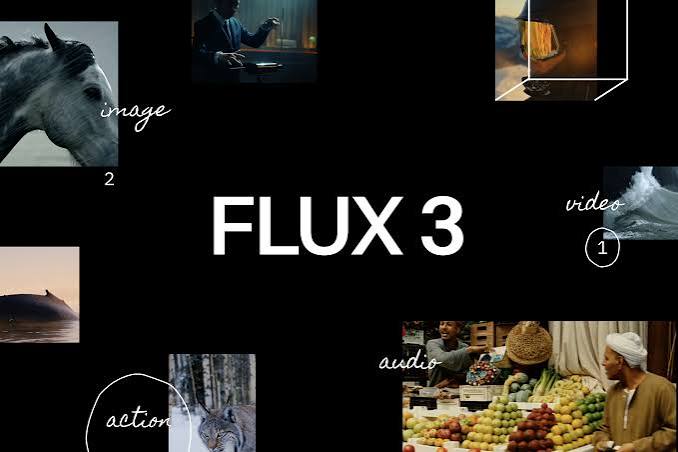
FLUX 3 AI Image Generator & Editor is a browser-based creative tool that allows users to generate images from written prompts and transform existing images through natural-language instructions. Available through the independent FLUX 3 AI platform, it combines text-to-image generation, image-to-image editing, reference-based creative workflows, and adjustable output settings in a single workspace. It is designed for content creators, graphic designers, marketers, online sellers, small businesses, and other users who want to develop visual content without relying entirely on traditional design software.
The image generator allows users to describe a subject, environment, composition, lighting, materials, colours, and visual style in a written prompt. The system uses the supplied instructions to create a new image, which can serve as a starting point for a design or campaign. Users can explore different creative directions, including photographic scenes, illustrations, portraits, product concepts, architectural imagery, fantasy environments, and promotional graphics. The resulting image depends on the selected model, the clarity of the prompt, and the complexity of the requested composition.
One of the platform’s central features is text-to-image generation. This workflow is useful when users have an idea but do not have an existing image to work from. A creator can describe a scene in ordinary language and generate a visual interpretation of that description. Prompts can specify the main subject, its position, the background, the camera angle, lighting conditions, colour palette, and overall style. This makes the tool suitable for early-stage concept development, mood boards, social media graphics, blog illustrations, and other visual projects.
The platform also supports image-to-image generation, allowing users to upload a reference image and provide instructions for modifying it. Rather than starting from an empty canvas, users can work from an existing photograph, illustration, or product image and describe the changes they want. Depending on the selected model and workflow, this can help develop alternative backgrounds, change the visual style, adjust colours, or explore different compositions. The output may still change details that users intended to preserve, so the original image should be retained for comparison.
Image editing through natural-language instructions is particularly useful for users who want to make creative adjustments without learning a complex set of editing controls. For example, a user can upload a product photograph and request a different background, or provide a portrait and ask for a new visual setting. The system interprets the requested change and generates an edited result. Although this approach can simplify basic editing tasks, it does not guarantee pixel-level precision or perfect preservation of every feature. Important details such as faces, product shapes, logos, labels, and text should be inspected carefully.
FLUX 3 AI provides several output-quality options, including 1K, 2K, and 4K settings where available. These options allow users to choose an appropriate level of detail for their intended project. A smaller output may be sufficient for a quick concept or a social media preview, while higher-resolution settings may be more appropriate for detailed visual work. The availability and cost of each setting depend on the selected generation mode and the controls offered by the platform.
The workspace also includes several aspect-ratio options, including square, landscape, portrait, and other common image proportions. Aspect ratios are important because images are often prepared for different destinations. Square images can be useful for social media posts, portrait formats can suit vertical content and promotional graphics, and landscape compositions can work well for website banners, presentations, and wider scenes. Selecting the intended format before generation can reduce the amount of cropping and rearrangement required later.
Users can request multiple outputs from a single generation task. The interface displays options for generating one to four images, allowing creators to compare alternative interpretations of the same prompt. This can be useful when exploring different compositions or deciding which visual direction best fits a project. Generating several outputs can also consume more credits, so users should check the displayed cost before submitting a task.
The platform accepts JPEG, PNG, and WebP images for supported upload workflows, with a stated maximum upload size of 24 MB. These formats cover many common photographs, illustrations, and web graphics. The ability to upload a reference image makes the tool more flexible than a workflow that relies only on text prompts. Users should nevertheless check the current upload requirements and ensure that they have permission to use any reference images they submit.
FLUX 3 AI is also part of a broader creative workspace that includes video generation. Users can move from an image concept to supported video workflows, including text-to-video and image-to-video generation. The wider platform advertises access to video models such as Google Veo 3.1, with available settings for clip duration, resolution, and audio depending on the model. This can be useful for creators who want to develop a still image before exploring an animated version. However, the image generator and video generator have different settings and credit requirements, so they should be evaluated separately when estimating usage.
The platform presents several AI model options through a common interface. Its image workspace uses the FLUX 3 name and also references image and video generation models from other providers. This model-selection approach gives users a way to experiment with different generation workflows without manually rebuilding every project in a separate interface. Available models, features, and settings can change, and users should not assume that every model supports the same editing controls or output quality.
An important distinction is that flux3-ai.com is an independent creative platform, not the official website of Black Forest Labs. The FLUX name refers to technology associated with Black Forest Labs, but the independent service’s interface, pricing, credit system, features, and terms are determined by the platform itself. Users should therefore distinguish between the model developer and the service providing access to generation tools.
The credit-based workflow is another important part of the experience. The image-generation interface displays a cost of five credits for a standard generation action, while the actual amount of work completed can depend on the selected options. The platform advertises free starter credits for new users and offers paid subscriptions and additional credit packs. Higher-tier plans provide larger credit allowances and access to additional features. Users who expect to generate images frequently should compare their likely usage with the available plan allowances before purchasing a subscription.
Privacy and usage rights should also be considered. The platform processes prompts, uploaded images, account information, and generated outputs as part of its service. Users should review the current privacy policy and terms before submitting personal photographs, confidential business assets, or other sensitive material. Commercial use also depends on the selected plan, the platform’s terms, applicable law, and rights associated with the source images and generated content.
FLUX 3 AI Image Generator & Editor is best suited to users who want a straightforward way to create visual concepts and edit existing images through written instructions. Its combination of text-to-image generation, image-to-image editing, aspect-ratio controls, resolution options, and multiple outputs makes it useful for design exploration and everyday content production. It is less suitable for projects that demand guaranteed pixel-level editing, precise product geometry, or complete manual control over every layer. Users who review and refine their results can use it as a practical part of a broader creative workflow.
FLUX 3 AI uses a credit-based pricing model with free starter credits, paid subscriptions, and additional credit packs. The website displays a cost of five credits for the standard image-generation action.
Subscription prices, credit allowances, and discounts may change. The exact current checkout price and included features should be verified before purchase. The number of images a user can generate depends on the model, resolution, number of outputs, and credit cost of each task.
FLUX 3 AI Image Generator & Editor is a useful option for users who want to create images from written prompts and modify existing visuals through a browser-based interface. Its text-to-image and image-to-image workflows make it suitable for product concepts, portraits, illustrations, promotional graphics, and other digital content. The resolution and aspect-ratio settings also help users prepare images for different destinations.
The platform’s broader creative workspace is an additional advantage for users who may want to move from still-image development into video generation. Multiple output options allow users to explore creative directions before deciding which image to refine. Starter credits provide an opportunity to test the workflow, although frequent use may require a paid plan.
The main limitations are the credit-based usage system and the fact that AI-generated results do not always follow every instruction precisely. Image edits may change details that should remain unchanged, and text, logos, anatomy, and product characteristics may require correction. Users should also remember that flux3-ai.com is an independent service rather than the official Black Forest Labs website.
FLUX 3 AI Image Generator & Editor is worth considering for designers, marketers, creators, and small businesses that need a flexible image-generation and editing workflow. It is most useful for creative exploration and routine visual content, while precision-sensitive work may require additional editing software.
Air is an AI-powered creative operations platform developed by Air Labs, Inc. It helps marketing teams, creative departments, agencies, and businesses organise,…
Rask AI is an artificial intelligence-powered video and audio localization platform designed to help content creators, businesses, educators, and media teams adapt…
Magic Hour AI is a browser-based artificial intelligence platform for creating, editing, and transforming videos, images, and audio. It is designed for…